How to Automate Your Finances: The Set-It-and-Forget-It Money System

The best way to automate your finances isn’t a budgeting app or a spreadsheet — it’s a system. One that moves your money into the right places on payday, before you have a chance to think about it, negotiate with yourself, or forget. The entire process takes about an hour to set up and roughly zero hours per month to maintain.
That’s the core idea behind what personal finance people call the “pay yourself first” strategy — and it’s the foundation of learning to automate your finances effectively. But most advice on this topic stops at “set up a transfer to your savings account.” That’s a start, but it’s not a system. A real automated money system handles savings, investing, bills, and guilt-free spending — all without requiring you to make decisions every time you get paid.
If you’ve ever ended the month wondering where your paycheck went, this framework will change that. Not through discipline. Through design.
Why You Should Automate Your Finances
The biggest barrier to building wealth isn’t income — it’s friction. When you automate your finances, you eliminate that friction entirely. Every time you manually decide whether to save, how much to invest, or which bill to pay first, you’re spending willpower on something that should run on autopilot.
Research consistently shows that automation dramatically improves financial outcomes. A 2026 analysis from Finhabits found that even $25 per week in automated savings produces $1,300 annually — money that most people never miss because it’s moved before they see it. Studies show that 72% of millennials and Gen Z users credit automatic savings apps with helping them build emergency funds exceeding $5,000.
The principle is straightforward: if you have to think about it, you probably won’t do it consistently. Automation removes the thinking.
The 4-Account System to Automate Your Finances
Here’s the architecture. You need four accounts. Not twelve. Not a complex network of sub-savings goals. Four accounts, each with a specific job:
1. Checking Account — The Hub
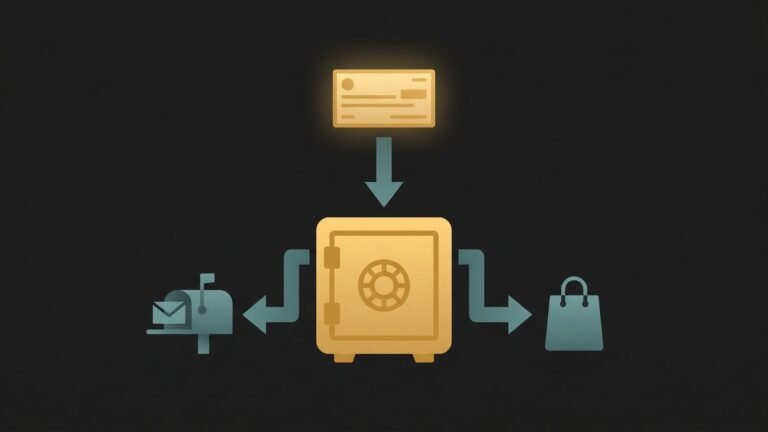
This is where your paycheck lands. Think of it as a routing station, not a storage unit. Money arrives here and immediately flows outward to the other three accounts. The goal is for your checking balance to stay relatively low — just enough to cover day-to-day spending and any bills that autodraft.
2. High-Yield Savings Account — The Emergency Fund
This account holds your emergency fund and short-term savings goals (a vacation, a car repair fund, a future down payment). Use a high-yield savings account at an online bank — they typically offer 4–5% APY compared to the 0.01% at most traditional banks. Keep this at a different bank than your checking account so it’s slightly harder to access impulsively.
Target: 3–6 months of essential living expenses. If you’re starting from zero, aim for $1,000 first, then build from there.
3. Investment Account — The Wealth Builder
This is a brokerage account or Roth IRA where you automatically invest in low-cost index funds. The key word is “automatically.” Most platforms — Fidelity, Vanguard, Schwab — let you set up recurring automatic investments on a specific day each month. You pick the fund, the amount, and the frequency. The system handles the rest.
This is where compound growth does its work over decades. Even $100 per month invested in a broad-market index fund at 10% average annual return becomes roughly $207,000 over 30 years. The earlier you automate it, the more compounding works in your favor.
4. Bills Account (Optional but Powerful)
Some people prefer a separate checking account dedicated exclusively to recurring bills — rent, utilities, insurance, subscriptions, loan payments. On payday, the exact amount needed for that month’s bills transfers in. Every bill auto-pays from this account. You never miss a payment, never get a late fee, and never wonder if paying your electric bill will conflict with your grocery budget.
If four accounts feel like too many, you can combine the checking and bills accounts. The important thing is that bills are on autopay and savings happen first.
How to Automate Your Finances: Step-by-Step
Here’s the exact process to automate your finances in one sitting. Block out 60 minutes, open your laptop, and work through these steps:
Step 1: Know Your Numbers
Before you automate anything, you need three numbers:
- Monthly take-home pay: Your after-tax income that actually hits your bank account.
- Monthly fixed expenses: Rent, utilities, insurance, subscriptions, minimum debt payments. Add them up.
- Savings target: Aim for 20% of take-home. If that’s not realistic yet, start at 10% — or even 5%. The automation matters more than the amount. (If you haven’t already, the 50/30/20 budget rule is a solid framework for setting these percentages.)
Step 2: Open Your Accounts
If you don’t already have them, open:
- A high-yield savings account at an online bank (Ally, Marcus by Goldman Sachs, or Capital One 360 are solid options in 2026).
- A brokerage account or Roth IRA at Fidelity, Vanguard, or Schwab. All three offer zero-commission trades and excellent index funds.
Most of these open in under 15 minutes with just your Social Security number and a linked bank account.
Step 3: Set Up the Automatic Transfers
This is the critical step. On your payday (or the day after), set these transfers to fire automatically:
- Savings transfer: Checking → High-yield savings. This is your emergency fund and short-term savings. Set a recurring transfer for a fixed dollar amount.
- Investment transfer: Checking → Brokerage/Roth IRA. Set up automatic investing into your chosen index fund. This is your long-term wealth engine.
- Bills (autopay): Set every recurring bill to auto-pay. Rent, utilities, phone, insurance, subscriptions, minimum debt payments — all of them. If your landlord doesn’t accept autopay, set a calendar reminder for the one manual payment you’ll make each month.
What’s left in your checking account after savings, investments, and bills? That’s your guilt-free spending money. Groceries, dining out, entertainment, coffee — whatever you want. No tracking required. You’ve already handled everything that matters.
Step 4: Set a Quarterly Review
Automate the review, too. Put a 15-minute calendar reminder every three months. During this check-in:
- Confirm all transfers and autopay are running correctly.
- Check your savings and investment balances.
- Adjust amounts if your income changed or expenses shifted.
- Cancel any subscriptions you’re no longer using.
That’s it. Fifteen minutes, four times a year. Sixty minutes of annual financial management for a system that builds wealth 24/7.
A Real-World Example: Automating Finances on $4,200/Month
Meet David, a 34-year-old operations manager in Denver. His take-home pay is $4,200 per month. Before automating, David saved inconsistently — some months $500, some months nothing. He usually forgot to transfer money until mid-month, at which point he’d already spent most of it.
Here’s what David’s automated system looks like now:
- Payday (1st of the month): $4,200 hits checking account.
- Automatic transfer (2nd): $400 → high-yield savings (emergency fund).
- Automatic investment (2nd): $440 → Roth IRA, invested in a total stock market index fund.
- Autopay bills (various dates): Rent $1,600, utilities $150, car + insurance $420, phone $85, subscriptions $45. Total: $2,300.
- What’s left for spending: $1,060 for groceries, gas, dining, entertainment, and everything else.
David saves and invests $840/month — 20% of his income — without making a single decision after the initial setup. In his first year, he built a $4,800 emergency fund and invested $5,280 that’s now growing via compound interest. He spends about 15 minutes per quarter checking the system. The rest of his financial life runs itself.
The shift wasn’t income. It was the decision to automate your finances with a repeatable system. David earns the same salary he earned before. He just built a system that directs the money before he can redirect it himself.
Common Mistakes When You Automate Your Finances
Automation is powerful, but a few pitfalls can undermine the system if you’re not aware of them:
- Automating too aggressively at first. If you set your savings transfer at $800/month but your actual margin is $500, you’ll overdraft. Start conservatively and increase after 2–3 months of smooth operation.
- Forgetting to build an emergency fund first. Don’t automate investments before you have at least $1,000–$2,000 in liquid savings. If an unexpected expense hits and all your money is locked in index funds, you’ll be forced to sell at a loss or take on debt.
- Ignoring the system entirely. “Set it and forget it” doesn’t mean “never look at it again.” The quarterly review is essential. Bills change, subscriptions creep in, and income fluctuates. Fifteen minutes every three months keeps the system calibrated.
- Not automating debt payments. If you carry high-interest debt (credit cards, personal loans above 7–8%), automate extra payments beyond the minimum. Even $50–$100 extra per month on a credit card dramatically reduces total interest paid.
The Tools That Make It Easy in 2026
You don’t need expensive apps to automate your finances. The core infrastructure is free:
- Your bank’s online portal: Nearly every bank offers free automatic transfers between accounts. This handles the savings and bills routing.
- Fidelity, Vanguard, or Schwab: Free automatic investing with no commissions. Set up recurring buys into index funds on any schedule.
- High-yield savings accounts: Online banks like Ally (4.00%+ APY), Marcus, or Capital One 360 offer free accounts with automatic transfer options.
- Round-up apps (optional): Tools like Acorns or Chime can supplement your system by automatically saving spare change from purchases. These aren’t a replacement for direct automation, but they add incremental savings on top. Acorns reports that the average user invests an extra $166 per month through round-ups and recurring investments.
The key takeaway: the tools to automate your finances already exist and most are free. The only thing you need to add is 60 minutes of initial setup time.
Frequently Asked Questions
How much should I automate into savings each month?
Aim for 20% of your after-tax income split between savings and investing. If that’s too aggressive right now, start with 10% — or even 5%. The habit of automating matters far more than the initial amount. You can always increase it as your income grows or expenses decrease.
What if my income is irregular or freelance?
Automate a conservative base amount that you can sustain even in a low-income month. When larger payments come in, manually transfer the surplus into savings or investments. You can also set a “floor” — the minimum you save every month no matter what — and a “ceiling” for months when income is higher.
Should I automate my finances before paying off debt?
Yes — but prioritize correctly. Build a small emergency buffer ($1,000–$2,000) first so unexpected expenses don’t force you deeper into debt. Then automate extra payments toward high-interest debt while maintaining a smaller savings contribution. Once the high-interest debt is eliminated, redirect those automated payments into investing.
The Bottom Line
Learning to automate your finances is the highest-leverage personal finance move you can make. Not because it teaches you about money — but because it removes the need for ongoing discipline. The system does the work. You built it once, you review it quarterly, and your wealth grows in the background while you focus on everything else in your life.
Most people don’t fail financially because they lack information. They fail because they rely on willpower instead of systems. The pay-yourself-first approach, combined with automatic transfers and automatic investing, makes wealth-building a mechanical process rather than an emotional one.
Set it up this weekend. An hour now saves you a lifetime of “I’ll do it next month.”
This article is for educational and informational purposes only. It does not constitute personalized financial or investment advice. Always consult a qualified financial professional before making financial decisions.
Ready to build your system? My free Wealth Starter Kit covers the 7 financial fundamentals every beginner needs — including the automation framework referenced above. Get the free playbook here.